What Is PosteRazor? The Free Poster Tiling Tool Explained
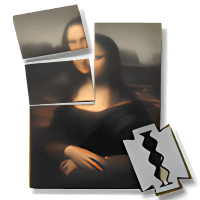
PosteRazor is a free, open-source program that splits a large image into multiple A4 or Letter pages as a PDF, so you can print a poster, map, or banner on an ordinary home printer and assemble it yourself. No wide-format printer required, no watermark, no cost.
What Exactly Does PosteRazor Do?
PosteRazor takes one input image — a photo, a map, a diagram, a game board — and cuts it into a grid of tiles that each fit on a standard sheet of paper. It then generates a multi-page PDF (or a set of page images) that you print on your regular printer. You cut off the white margins, align the tiles using the overlap it adds automatically, and glue or tape them together into one large poster.
The magic is in the details: you can set the final poster size (in meters, inches, or pages), the overlap between tiles, and the margins. The program shows a live preview of how the image will be cut, so there are no surprises at print time.
Who Made PosteRazor?
PosteRazor was created by Alessandro Portale, an independent developer. The program is released under the GNU General Public License (GPL), which means it is genuinely free and open-source software. The source code is publicly available, and anyone can inspect, modify, or redistribute it under the license terms.
This site, posterazor.org, is an independent community resource — it is not the developer’s official page. We host mirrors of the original v1.5.2 release files and write our own guides, because the original project pages are dated and scattered.
What “Free and Open-Source” Means for You
- No cost, ever. Downloading, using, and sharing PosteRazor costs nothing.
- No watermark. Your posters come out clean — no “made with trial version” text.
- Works offline. The desktop version runs entirely on your computer. Your images are never uploaded anywhere, which matters for private photos or confidential maps.
- Privacy-friendly. Because it is offline and open-source, there is no account, no tracking, no ads inside the program.
What You Can Make With It
- Wall posters — photos, artwork, motivational quotes at A1 or larger.
- Maps — trail maps, city maps, or game world maps for the wall.
- Banners and signs — birthday banners, sale signs, classroom displays.
- Board-game and tabletop maps — large battle maps for D&D and other RPGs are one of the most popular uses.
- Teaching aids — anatomy charts, periodic tables, timelines for classrooms.
What PosteRazor Cannot Do
Being honest about limits matters:
- It is not a design tool. You cannot draw, add text, or edit the image inside PosteRazor. Design your poster first (see our guide on designing posters online), then tile it with PosteRazor.
- It does not print large directly. There is no way to send a 1-meter poster to a normal A4 printer in one piece — the whole point is the tiling workflow, and the assembling is on you.
- Assembly takes patience. A 3×4 tile poster means trimming 12 sheets and aligning them. For a one-off poster it is fun; for 50 copies, use a poster printing service.
- No official Android app exists. PosteRazor is desktop software (Windows, macOS, Linux). If you want to tile from a phone or Chromebook, use our online poster tiling tool, which runs in the browser.
Is PosteRazor Still Maintained?
Honestly: the upstream project’s latest stable release is v1.5.2, published years ago, and there has been no major new release since. The project is effectively in maintenance mode rather than active development.
But that does not mean it is broken. Image tiling is a solved problem — the math has not changed, and v1.5.2 remains stable and fully usable on modern systems. The Windows build works on Windows 10/11, the Linux build works on current distributions, and the macOS build (an Intel-era binary) runs on Apple Silicon Macs through Rosetta 2. This site keeps the original files mirrored and documents everything that still applies, so you get a working tool without digging through abandoned project pages.
PosteRazor Desktop vs. the Online Tool on This Site
We offer two ways to use the same tiling idea:
| Feature | Desktop app (v1.5.2) | Online tool (/online/) |
|---|---|---|
| Installation | Download and install | None — runs in your browser |
| Platforms | Windows, macOS, Linux | Any device, including phones |
| Precision | Highest — full control of size, overlap, margins | Very good for most posters |
| Privacy | Fully offline | Image processed in your browser |
| Best for | Large, precise, repeat jobs | Quick one-off posters, mobile users |
Both are free. If you want the desktop version, head to our download page; if you want to tile something right now without installing anything, try the online tool.
Frequently Asked Questions
Is PosteRazor really free?
Yes. It is GPL-licensed open-source software: free to download, free to use for personal or commercial purposes, with no watermark and no feature limits.
I searched for “postrazor” / “posterazo” / “posterazer” — is that the same tool?
Yes — those are common misspellings of PosteRazor. This site is the community resource for that exact tool, so you are in the right place.
Is PosteRazor safe to install?
The v1.5.2 release mirrored here is the original upstream build. It is offline software with no ads or bundled extras. As with any download, get it from a trusted source — our download page links the original files.
Does PosteRazor work on Mac?
Yes. The official macOS build is from the Intel era, but it runs on Apple Silicon Macs via Rosetta 2. See our PosteRazor for Mac guide for details.
Is there a PosteRazor app for Android?
No — there is no official Android (or iOS) version. For phones and tablets, use our online poster tiling tool, which works in any mobile browser.
Can I use PosteRazor posters commercially?
Yes. The GPL covers the software itself; posters you create with it are your own work and can be used commercially.